Organized conversations.
Clear details.
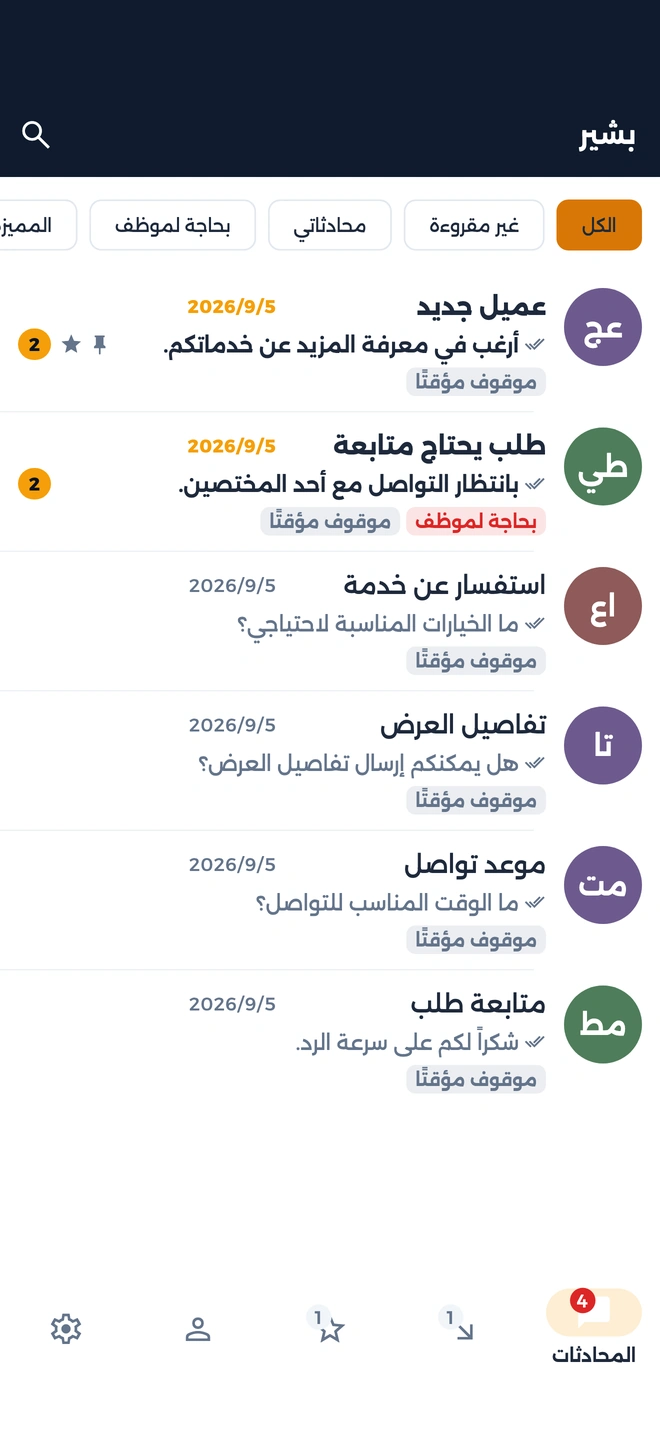
One inbox with search, filters, and quick replies.
Organize messages. Follow up with customers.
With Basheer, bring WhatsApp conversations together and share follow-ups with your team.


Find conversations, share details,
and assign follow-ups to your team.
One inbox with search, filters, and quick replies.
Add products, policies, and media to the knowledge base. Update them when needed.
Assign a conversation, take over, or return it to the assistant, depending on permissions and conversation status.
An image, video, file, or voice note. Share the details in the format that fits.
Label conversations and customers, and assign a clear owner for each follow-up.
Tools to manage customers, orders, and your catalog from the dashboard.
Conversation statistics and tools to track team activity and performance.
Choose what your team members can access and work on.
Follow conversations in the app and manage your business details from the dashboard.
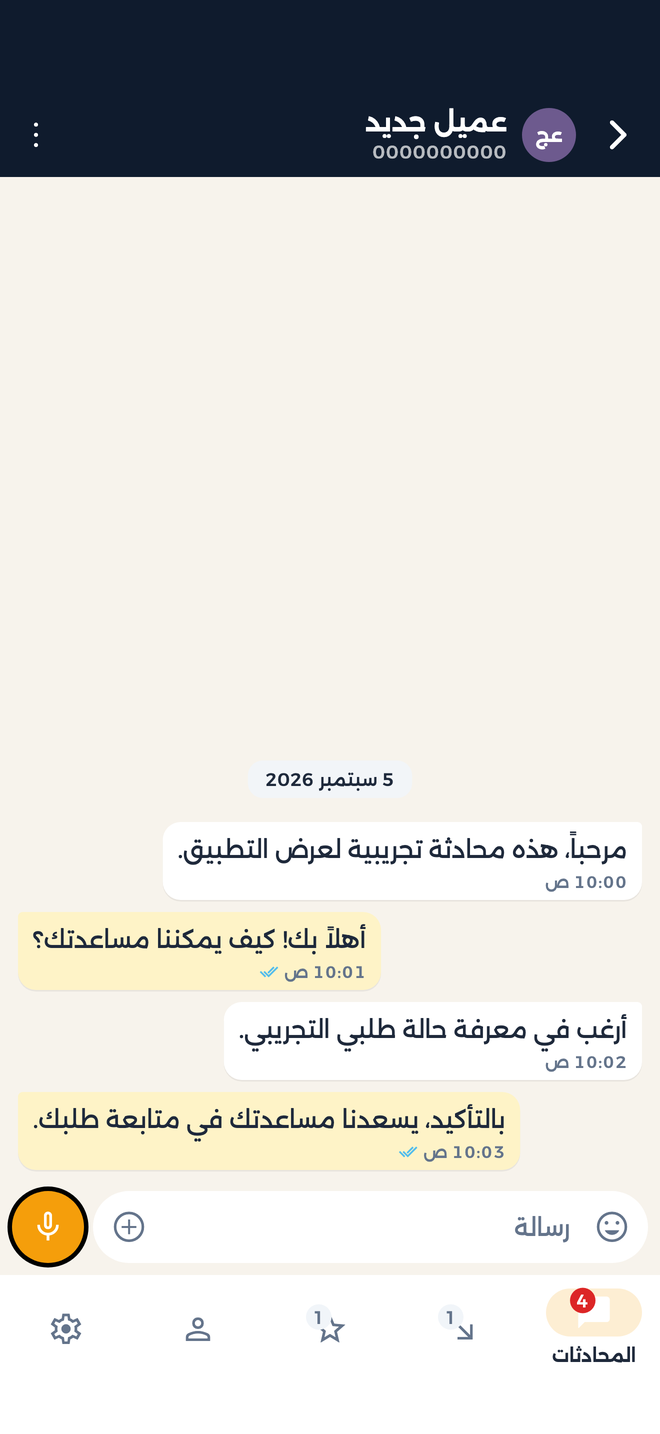
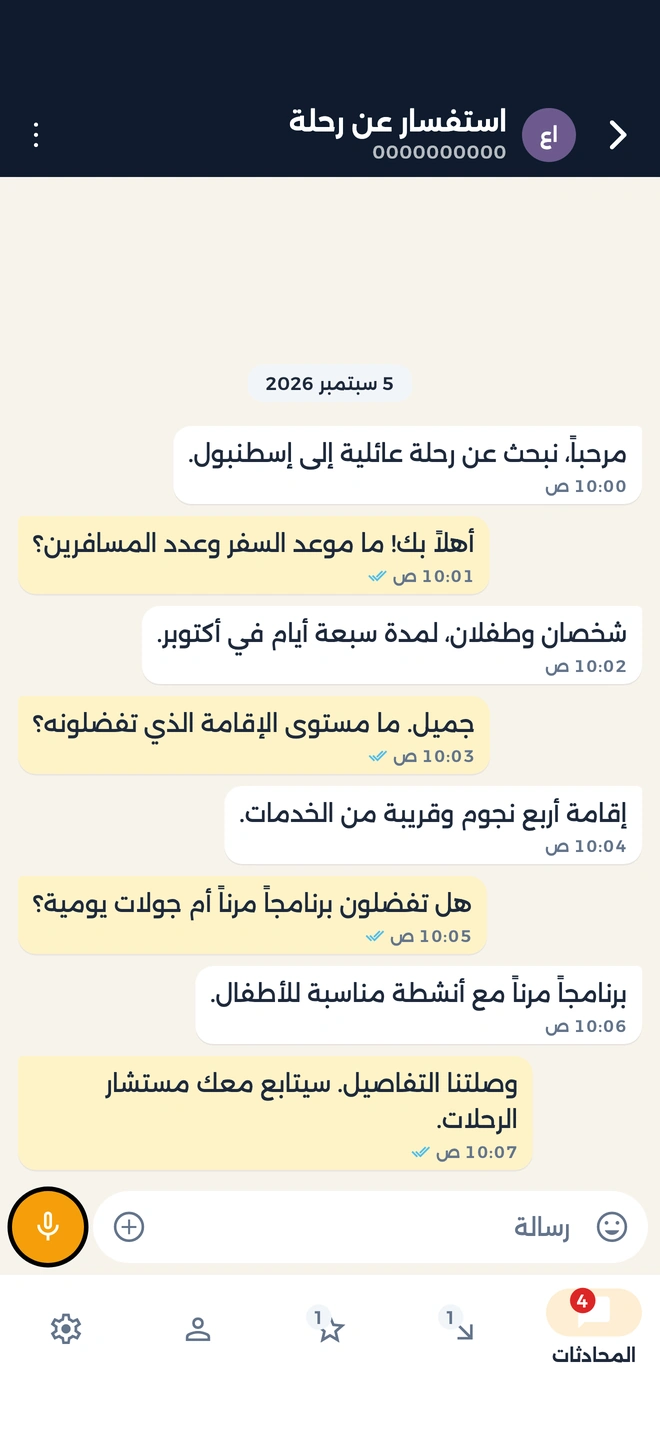
These are actual app screens.
Choose a screen to explore.
Search and label conversations. Filter for unread messages or conversations that need a teammate.

Screenshots show the app in Arabic with synthetic demo data. The numbers shown are not Basheer performance results.
For stores, services, and teams
that talk to customers on WhatsApp.
Share itineraries, images, and files, and assign inquiries to your team.
Contact us
Suggested uses of communication and follow-up tools, not a booking or property inventory system. Background images are fictional illustrations.
Follow the connection steps available to your account and your WhatsApp provider’s requirements.
Add information, policies, and products, then organize your team members and their permissions.
Follow messages, share details, and assign conversations to the right teammate.
Tool availability depends on your account permissions and enabled services.
Have a question about your business?
Contact the Basheer teamBasheer brings WhatsApp conversations and customer follow-up tools together for your team, with an assistant and a knowledge base. Use the mobile app for conversations and the dashboard to manage your business information.
Yes. You can assign a teammate, take over, or return the conversation to the assistant, depending on permissions and conversation status.
Yes, for inquiries, sharing images and files, and assigning conversations to your team. These are communication tools, not a travel booking or property inventory system.
Create an account, follow the WhatsApp connection steps, then add your business information and team permissions. Available tools depend on your permissions, enabled services, and WhatsApp provider requirements.
The screenshots show the actual Basheer app in Arabic. Names, messages, and numbers are synthetic demo data, not customer data or performance results. Travel and property backgrounds are fictional illustrations.